Little Web Hut
Little Web Hut Logo

Your Guide To Web Design

Learn How to Use GIMP

The free Image Manipulation software

What is GIMP?

GIMP (GNU Image Manipulation Program) is a powerful free Open Source graphics editor that works on many operating systems. Get GIMP here


Check out the GIMP 2.8 Standard Brushes

Brushes


GIMP Examples - GIMP Tutorial Videos

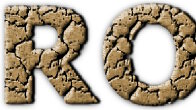
GIMP 2.8 Rock Text

GIMP 2.8 Rock Text

This GIMP tutorial demonstrates how to create text that looks like rock or stone. GIMP version 2.8.4 was used for this video.


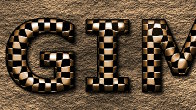
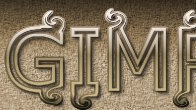
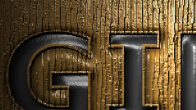
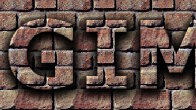
GIMP 2.8 Metal Text On A Stone Wall

GIMP 2.8 Metal Text On A Stone Wall

This GIMP tutorial demonstrates how to create an image of weaved metal text on a stone wall. GIMP version 2.8.2 was used for this video.


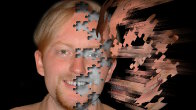
GIMP 2.8 Flying Puzzle Pieces

GIMP 2.8 Flying Puzzle Pieces

This GIMP tutorial demonstrates how to create an image that looks like puzzle pieces flying off of a picture. GIMP version 2.8.2 was used for this video.


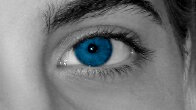
GIMP 2.8 Color Splash

GIMP 2.8 Color Splash

This GIMP tutorial demonstrates how to use a selective color technique to create an image where only a portion of it is colorized. GIMP version 2.8.2 was used for this video.


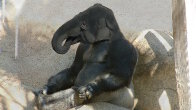
GIMP 2.8 Gorilla and Elephant Combined

GIMP 2.8 Gorilla and Elephant Combined

This GIMP tutorial demonstrates how to combine the body of a gorilla with the head of an elephant. GIMP version 2.8.2 was used for this video.


GIMP 2.8 Pressed Text

GIMP 2.8 Pressed Text

This GIMP tutorial demonstrates how to make pressed text. GIMP version 2.8.0 was used for this video.


GIMP 2.8 Reflective Water Effect

GIMP 2.8 Reflective Water Effect

This GIMP tutorial demonstrates how to make a water reflection effect like a pond or lake. GIMP version 2.8.0 was used for this video.


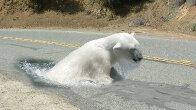
GIMP 2.8 Bear in the Road

GIMP 2.8 Bear in the Road

This GIMP tutorial demonstrates how to combine two photos to produce an interesting effect. GIMP version 2.8.0 was used for this video.


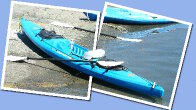
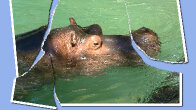
GIMP 2.8 Tear a Photo

GIMP 2.8 Tear a Photo

This GIMP tutorial demonstrates how to create an image of a torn photo. GIMP version 2.8.0 was used for this video.


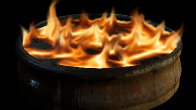
GIMP 2.8 Fire and Flames

GIMP 2.8 Fire and Flames

This GIMP tutorial demonstrates how to create fire and flames. GIMP version 2.8.0 was used for this video.


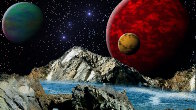
GIMP 2.8 Another World

GIMP 2.8 Another World

This GIMP tutorial demonstrates how to turn a couple of photos into an image of another world with a starry sky and planets. GIMP version 2.8.0 was used for this video.


GIMP 2.8 Wire Art

GIMP 2.8 Wire Art

This GIMP tutorial demonstrates how to make wire art. GIMP version 2.8.0 was used for this video.


GIMP 2.8 Photos on a Cube

GIMP 2.8 Photos on a Cube

This GIMP tutorial demonstrates how to put 3 photographs on a cube. GIMP version 2.8.0 was used for this video.


GIMP 2.8 Text Tool

GIMP 2.8 Text Tool

This GIMP version 2.8 tutorial demonstrates how to use the new Text Tool. GIMP version 2.8.0 was used for this video.


GIMP 2.8 Cage Transform Tool

GIMP 2.8 Cage Transform Tool

This GIMP tutorial demonstrates how to use the new Cage Transform Tool found in version 2.8.0.


GIMP 2.8 Brushes

GIMP 2.8 Brushes

This GIMP version 2.8 tutorial demonstrates how to use the new brush interface. GIMP version 2.8.0 was used for this video.


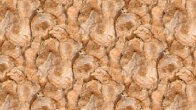
GIMP Repeating Seamless Pattern

GIMP Seamless Repeating Pattern

This GIMP tutorial demonstrates how to make a Seamless Repeating Pattern. GIMP version 2.6.11 was used for this video.


GIMP Background Removal

GIMP Background Removal

This GIMP tutorial demonstrates how to remove the background from an image. GIMP version 2.6.11 was used for this video.


GIMP Raised Text

GIMP Raised Text

This GIMP tutorial demonstrates how to make text that looks like it is popping out of the textured background. The tips and tricks in this tutorial can be useful for other drawings as well. This is a good tutorial for beginners. GIMP version 2.6.11 was used for this video.


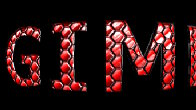
GIMP Silver and Turquoise Text

GIMP Silver and Turquoise Text

This GIMP tutorial demonstrates how to create an image of silver text with turquoise gemstones. GIMP version 2.8.2 was used for this video.


GIMP Ice Text

GIMP Ice Text

This GIMP tutorial demonstrates how to create ice text. GIMP version 2.8.2 was used for this video.


GIMP Animated Text

GIMP Animated Text

This GIMP tutorial demonstrates how to create animated text and then save it as an animated GIF file. GIMP version 2.8.2 was used for this video.


GIMP Fancy Text

GIMP Fancy Text

This GIMP tutorial demonstrates how to create fancy text with swirls. GIMP version 2.8.2 was used for this video.


GIMP Joined Photos

GIMP Joined Photos

This GIMP tutorial demonstrates how to make an image of 2 joined photos. GIMP version 2.8.2 was used for this video.


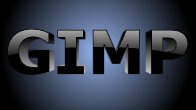
GIMP 3D Text

GIMP 3D Text

This GIMP tutorial demonstrates how to make 3D text. GIMP version 2.8.0 was used for this video.


GIMP 2.8 Splash Text

GIMP 2.8 Splash Text

This GIMP tutorial demonstrates how to produce an interesting text effect. GIMP version 2.8.0 was used for this video.


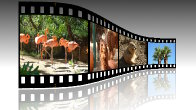
GIMP 2.8 Filmstrip Photos

GIMP 2.8 Filmstrip Photos

This GIMP tutorial demonstrates how to add photos to a 3D Filmstrip. GIMP version 2.8.0 was used for this video.


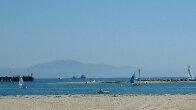
GIMP 2.8 Rule of Thirds

GIMP 2.8 Rule of Thirds

This GIMP tutorial demonstrates how to use the rule of thirds to compose an image. GIMP version 2.8.0 was used for this video.


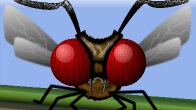
GIMP 2.8 Insect

GIMP 2.8 Insect

This GIMP tutorial demonstrates how to create an image of an insect. GIMP version 2.8.0 was used for this video.


GIMP 2.8 Supernova Text

GIMP 2.8 Supernova Text

This GIMP tutorial demonstrates how to make text with a super bright background light. GIMP version 2.8.0 was used for this video.


GIMP 2.8 Stormy Planet

GIMP 2.8 Stormy Planet

This GIMP tutorial demonstrates how to make an image of a stormy planet. GIMP version 2.8.0 was used for this video.


GIMP 2.8 Easy Art

GIMP 2.8 Easy Art

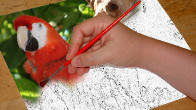
This GIMP tutorial demonstrates how to transform a photo into an image that looks like it was drawn with colored pencils. GIMP version 2.8.0 was used for this video.


GIMP 2.8 Combined Photos

GIMP 2.8 Combined Photos

This GIMP tutorial demonstrates how to combine two photos so that it appears that one photo is painting the other. GIMP version 2.8.0 was used for this video.


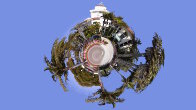
GIMP Little Planet

GIMP Little Planet

This GIMP tutorial demonstrates how to make a Little Planet using the Polar Coordinates filter. GIMP version 2.6.11 was used for this video.


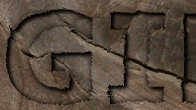
GIMP Engraved Text

GIMP Engraved Text

This GIMP tutorial demonstrates how to make text appear as if it is engraved in a wooden background. GIMP version 2.6.11 was used for this video.


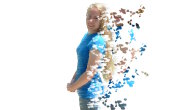
GIMP Fly Apart Image

GIMP Fly Apart Image

This GIMP tutorial demonstrates how to make an image appear as if it is flying apart. GIMP version 2.6.11 was used for this video.


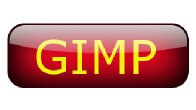
GIMP Shiny Button
GIMP Shiny Button
This is a GIMP tutorial that demonstrates how to make a shiny glossy button that looks like glass. This is a good tutorial for beginners. GIMP version 2.6.11 was used for this video.
 

The material on this site (LittleWebHut.com) is for educational purposes only. We make no warranty or guarantee of the accuracy or reliability of information contained herein or at other sites to which we link.  The risk from using this site, the information contained herein, or the sites to which we link lies entirely with the user.  By using this site, you agree to have read and accepted our Terms of Use and Privacy Policy.